

Every simulator on this list can tell you your 7-iron carries 158 yards. That is not the hard part.
The hard part is everything around the number. The room you can actually fit it in. The subscription that quietly doubles your first-year cost.
The projector, the net, and the mat that nobody puts in the headline price. The monitor that reads beautifully indoors and falls apart the moment you carry it out to the range.
That is why most guides that rank simulators by prestige end up steering people wrong. The most impressive system is rarely the one that gets used three nights a week in a garage.
So this list is organized around the golfer buying it. Seven systems, from about $700 to the top of the market, and I have said plainly who should walk past each one.
| Simulator | Best for | Toby Score | Price | Buy | Shop |
|---|---|---|---|---|---|
| Garmin Approach R50 | Best overall | 9.0 | ~$4,500–$5,000 | Check Price | Visit Shop |
| Rapsodo MLM2PRO | Best budget pick | 8.9 | ~$600–$700 | Check Price | Visit Shop |
| SkyTrak | Best for course play | 8.6 | ~$2,500 list | Check Price | Visit Shop |
| FlightScope Mevo | Best ultra-budget range tool | 7.5 | ~$500 or less | Check Price | Visit Shop |
| Foresight GCQuad | Best for accuracy | 8.5 | ~$13,000–$15,000 | Check Price | Visit Shop |
| Bushnell Launch Pro | Best camera accuracy under $3,000 | 8.1 | ~$2,500 | Check Price | Visit Shop |
| Uneekor EYE MINI | Best portable camera system | 8.2 | ~$4,500 (LITE ~$2,000, CORE ~$1,500) | Check Price | Visit Shop |
Scroll to see more features
How I Put This Together
I did not run a lab, and nobody with a day job does. Every hard number below (specs, prices, room sizes, course counts) comes from manufacturer information and published testing, and I have said so where it matters. Every verdict is mine.
I read the major independent simulator and launch monitor reviews, then read them against each other. That is how every guide on USA Golf Guy works. Where the reviewers disagree, that disagreement is usually the most useful part of the story.
Prices move constantly, especially around seasonal sales, so the figures in the table are approximate. Check the current price before you buy.
Launch Monitor or Simulator? Know What You Are Buying
A golf simulator is three things stacked together: a launch monitor that measures the shot, software that turns the numbers into a game, and a hitting setup made of a net or screen, a mat, and usually a projector.
Some products here bundle all three. Others, like the Rapsodo and the GCQuad, are just the monitor. Compare like with like, or the prices will mislead you.
The 7 Best Golf Simulators of 2026
Garmin Approach R50 | Best Overall
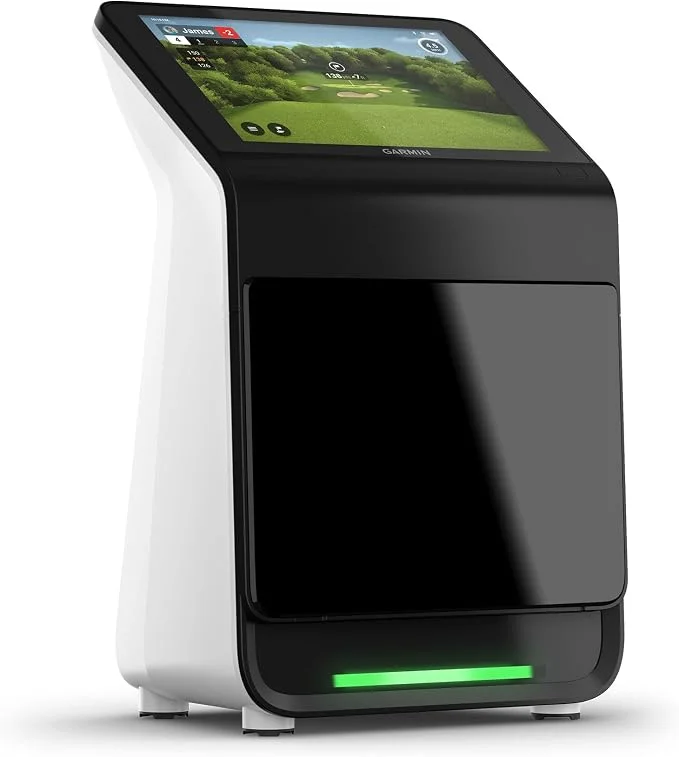
The R50 earns the top spot for one reason: it is the only product here that does both jobs properly. It is a serious practice tool and a genuinely fun simulator in a single unit, with no laptop required to see your numbers.
It has a 10-inch color touchscreen, three cameras, and 15 ball and club data points. Club data needs reflective stickers on the clubface, and Garmin supplies plenty.
Golf Monthly made it their top pick, and MyGolfSpy rated it 9.8 overall, so two independent testers landed in the same place.
The Play mode is the big attraction: a huge course library, hole flyovers, and realistic graphics. The catch is that it runs on an annual subscription, and the screen sits low, so you will be crouching to change settings.
Scoring notes: Data 9, Setup 9, Software 9, Value 8.5. It costs several times more than the budget monitors, but you are not buying a second device to play courses.
| Pros | Cons |
|---|---|
| Launch monitor and simulator in one unit | Simulator play needs an annual subscription |
| Big, responsive touchscreen | Low screen means bending down |
| Detailed, customizable data | Costs far more than entry-level monitors |
| Realistic course play with flyovers | Club data needs stickers on every club |
| Portable | Needs a net, mat, and screen of your own |
| Rated highly by multiple independent testers | Overkill if you only want basic numbers |
Scroll to see more features
Rapsodo MLM2PRO | Best Budget Pick
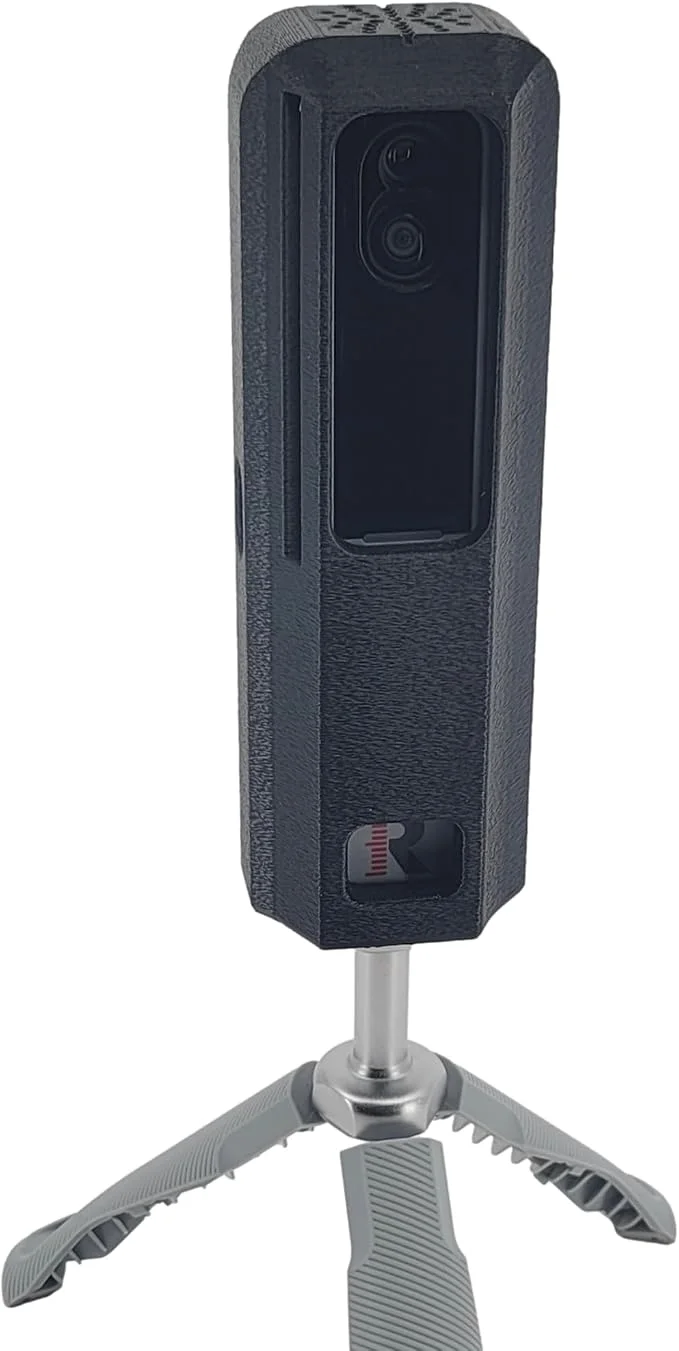
If you have never owned a launch monitor, start here. At around $700, it is the cheapest way into this list, and MyGolfSpy named it the best personal launch monitor under $1,000 with a 9.7 overall score.
It pairs two cameras with Doppler radar, measures 15 metrics, and connects to your phone or tablet. It ships with a tripod and a carry case, and it works indoors and outdoors.
Simulation covers a course library in the tens of thousands, and it now has an official GSPro connection for anyone who wants a more advanced game later.
Two things catch new owners out. To get measured spin numbers, you need Callaway or Titleist RPT balls, so a range ball or your usual ball will not do. And you need an annual membership to unlock spin and the other advanced features, so build that into your first-year cost.
Scoring notes: Data 8.5, Setup 9.5, Software 8.5, Value 9.5. Nothing else here gets you into a home bay for this money.
| Pros | Cons |
|---|---|
| Lowest entry price on this list | Needs RPT balls for measured spin |
| Works indoors and outdoors | Annual membership unlocks advanced features |
| Two cameras plus radar | Not as precise as top camera systems |
| Tripod and case included | You supply the net, mat, and screen |
| Official GSPro integration | Phone or tablet is your display |
| Easy phone and tablet setup | Limited multi-user options |
Scroll to see more features
SkyTrak | Best for Course Play
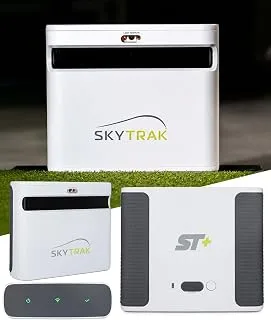
SkyTrak built its reputation on making a home simulator feel achievable, and the original is still the simplest way to do it.
It uses a photometric camera system, meaning high-speed cameras photograph the ball at impact and just after, then calculate ball speed, spin, launch angle, and shot shape. Golf Digest named it Editor’s Choice for best launch monitor under $2,000 in 2021.
Because it is camera-based, it needs less room than a radar unit. SkyTrak’s hitting zone is about 4 by 4 inches, and you do not need a long runway for the ball to fly.
That makes it a good fit for a garage or spare room, and it also works outdoors on a hitting mat. It has a built-in WiFi hotspot that connects to your tablet or PC and a rechargeable battery that lasts up to about 4 hours.
Course play is where it shines. A SkyTrak membership unlocks the full app, and SkyTrak’s course play is powered by TrackMan and Foresight courses.
The monitor also works with E6 Connect and The Golf Club 2019. A 14-day free trial membership comes with a new unit, so you can hit the range before you decide what to pay for.
The trade-off is data. The original SkyTrak reports ball speed, launch angle, spin, carry, and total distance, but it does not give clubface information the way the newer SkyTrak+ and ST MAX do.
Those models add dual Doppler radar for club data. If you mostly want to play rounds and practice with a net, the original is enough. If you want detailed club data, look at the ST MAX or a different monitor on this list.
Scoring notes: Data 8, Setup 9, Software 9, Value 8.5. It is the easiest recommendation for someone who mostly wants to play rounds.
| Pros | Cons |
|---|---|
| Photometric camera tracking with measured spin | Full features need a paid membership |
| Needs less room than radar monitors | No club face data like the newer SkyTrak+ and ST MAX |
| Strong app and course play options | Battery lasts only about 4 hours |
| Built-in WiFi hotspot, no cables to a tablet | Needs a separate net, mat, and screen |
| Free trial membership included | Newer models cost noticeably more |
| Portable, indoors or outdoors | Prices and bundles change often |
Scroll to see more features
FlightScope Mevo | Best Ultra-Budget Range Tool
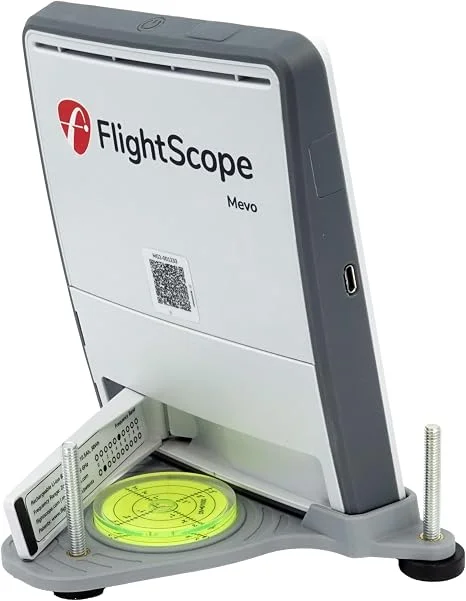
The original Mevo is a pocket-sized Doppler radar unit that launched at about $499. Its appeal is simplicity.
It gives you the basics, including carry distance, ball speed, club head speed, spin rate, launch angle, and smash factor, through the FS Golf app, and there is no subscription or membership.
That simplicity is also the limit. It captures only eight data points, does not report club path or face angle, and is built for practice feedback rather than course play, so do not buy it as a simulator.
It works indoors and outdoors, but like all radar units, it needs room for the ball to fly, so it suits a range or a garage with a decent net distance.
Be aware that this is the older model. FlightScope now sells the Mevo Gen2 at roughly $1,200 to $1,300, with more data and E6. Connect courses are included, and there is still no subscription.
Original Mevo units are mostly found refurbished or pre-owned at a lower price, so check what you are actually buying.
Scoring notes: Data 6.5, Setup 8.5, Software 6.5, Value 8.5. A fair choice for a golfer who wants honest numbers on a small budget and has no interest in simulation.
| Pros | Cons |
|---|---|
| Low entry price | Only eight data points |
| No subscription or membership | No club path or face angle |
| Measures spin directly | Not built for simulator play |
| Small and portable | Needs ball-flight distance, so tight rooms are a problem |
| Works indoors and outdoors | Older model, replaced by the Mevo Gen2 |
| Simple to set up and use | Often sold refurbished or used |
Scroll to see more features
Foresight GCQuad | Best for Accuracy
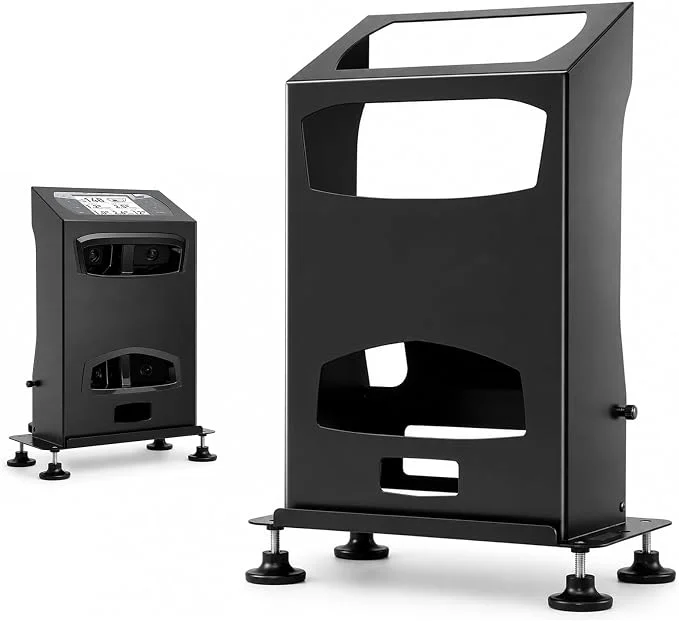
This is the one to buy when the number itself is the point. Today’s golfers use the GCQuad for all of their club testing, and it sits in the bags of tour players and fitters. Golf Monthly reports that Rory McIlroy pairs it with TrackMan.
It uses quad-camera photometric technology to capture ball and club delivery in fine detail, including path, angle of attack, lie angle, and strike location.
The built-in display is clear, and the monitor is portable even though a full bay around it is not. You can also grow it into a complete simulator through Foresight’s packages.
Foresight’s guidance is a minimum room of 10 feet wide, 9 feet high, and 12 feet long, with 16 by 10 by 18 as the ideal. And you are paying for that precision at around $14,000 to $15,000 for the monitor alone.
Scoring notes: Data 10, Setup 8, Software 8.5, Value 6. Superb for coaches and serious players, and hard to justify for anyone else.
| Pros | Cons |
|---|---|
| Tour-level accuracy and depth of data | Very expensive |
| Widely trusted by testers and fitters | Needs a large room for best results |
| Clear built-in display | Full simulator packages add more cost |
| Portable monitor | More than most golfers need |
| Grows into a full simulator | Software is a separate consideration |
| Excellent for club fitting | Poor value for casual practice |
Scroll to see more features
Bushnell Launch Pro | Best Camera Accuracy Under $3,000
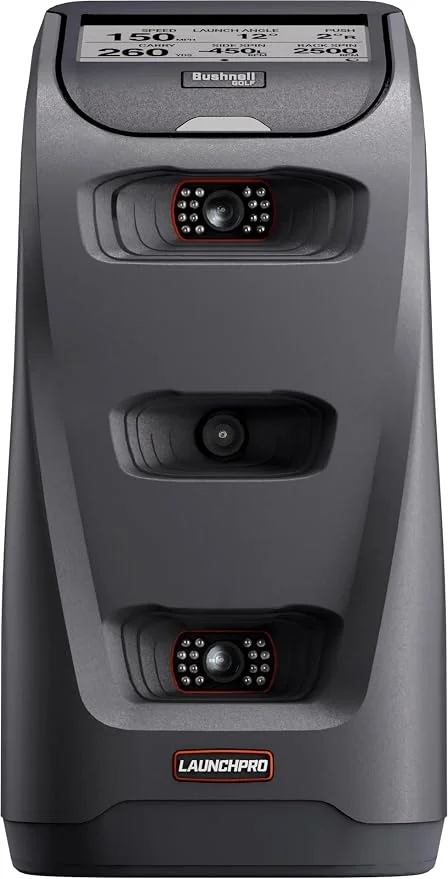
The Launch Pro is the twin of Foresight’s GC3, which is why its data punches well above its price. It uses dual high-speed cameras instead of radar, so it measures spin directly and does not need the long runway in front of and behind the ball that radar units want.
Most golfers will pay about $2,500 for the club-data version, with a ball-data-only model coming in around $2,000.
It works as a full simulator through Bushnell’s FSX software, and it also connects to GSPro and E6 Connect on the higher plan.
Without a subscription, you still get ball data on the built-in screen, which is fine for range sessions or hitting into a net.
Two warnings before you buy. The subscription is the real cost: the Silver plan runs about $199 a year and Gold about $499 a year, and the monitor needs an internet connection at least once every 45 days.
Also, Bushnell has been phasing this model out in favor of the GC3, GC3S, and LPi, so remaining stock is limited, and prices may not hold.
Scoring notes: Data 9, Setup 8, Software 7.5, Value 8. Excellent accuracy for the money, held back by the ongoing fees and an uncertain future.
| Pros | Cons |
|---|---|
| Camera-based tracking with measured spin | Full simulator features need a yearly subscription |
| Foresight GC3 technology at a lower price | Internet check-in required every 45 days |
| Ball and club data on the built-in screen | The model is being discontinued, so stock is limited |
| Needs less depth than radar monitors | Sold and supported in the US only |
| Works with FSX, GSPro, and E6 Connect | Costs more than radar monitors like the Mevo and R10 |
| Portable and usable indoors or outdoors | You supply the net, mat, screen, and gaming PC |
Scroll to see more features
Uneekor EYE MINI | Best Portable Camera System
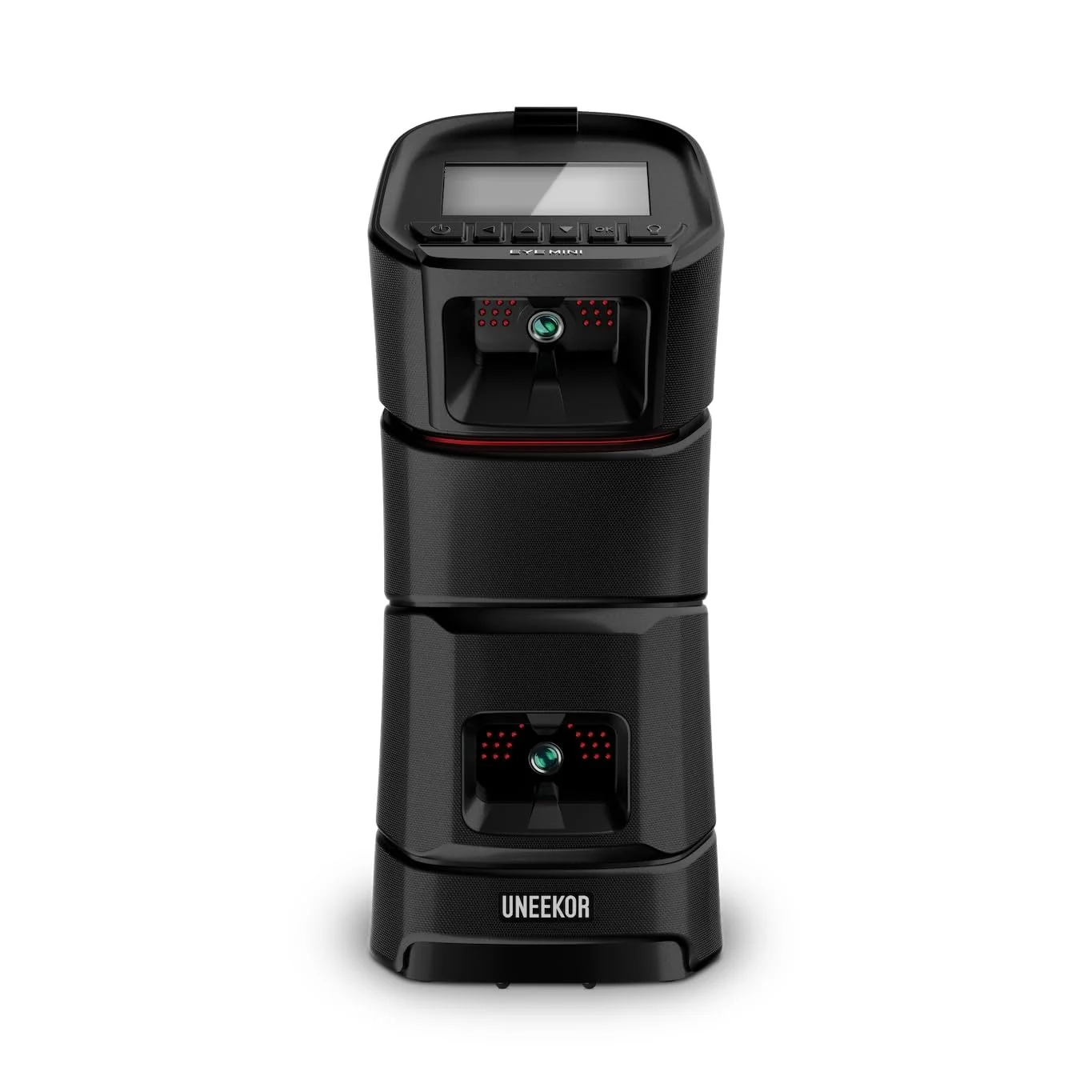
The EYE MINI takes the camera technology from Uneekor’s ceiling-mounted systems and puts it in a portable unit. It lists at about $4,500 for the full version with club data. Uneekor also sells cheaper versions: the EYE MINI LITE at around $2,000 and the ball-data-only EYE MINI CORE at around $1,500.
Two high-speed infrared cameras and an E-Ink display give you 19 data points, and it does not need special balls. You do need stickers on the clubface for club data. It runs up to about 6 to 8 hours per charge and works indoors and outdoors.
A tester at Plugged In Golf compared it against a GCQuad and found ball speeds within about 2 mph and carry distances within about 4 yards.
Set-up can be fiddly the first time. The hitting zone is small at 12 by 8 inches, and mishits are reported less accurately than on the GCQuad.
The base Player package is free, but the packages that unlock more software and third-party simulators cost extra: Pro is about $199 a year, Champion about $399, and Ultimate about $599.
Scoring notes: Data 9, Setup 8, Software 8, Value 8. Strong accuracy in a portable body, at a price that only makes sense if you will use both the range and the bay.
| Pros | Cons |
|---|---|
| Accurate ball and club data from a camera system | Expensive for a portable monitor |
| No special balls needed | Small hitting zone |
| Portable, with a built-in E-Ink screen | Mishits are reported less accurately than on premium units |
| Works with GSPro, E6 Connect, and TGC 2019 | Higher software tiers add yearly fees |
| Free basic software package included | Initial setup can be fiddly |
| Cheaper LITE and CORE versions available | Third-party simulators need a paid plan and a PC |
Scroll to see more features
How to Buy a Golf Simulator Without Wasting Your Money
Start With the Room, Not the Monitor
SkyTrak and Foresight both publish minimum room sizes of roughly 10 feet wide, 8.5 to 9 feet high, and 12 feet long, with 15 to 16 by 10 by 18 feet as the ideal. Treat those as the floor, not the target.
Measure with a driver in your hands rather than tape alone. If you catch yourself holding back through impact because the ceiling is close, the room is too small for the swing you actually make.
Add Up the Whole Bay
The monitor is only one line on the bill. Budget for:
- Net or impact screen
- A decent hitting mat
- Projector or TV
- Computer or tablet
- Flooring and wall protection
- Software subscription, if your monitor needs one
A simple net-and-monitor setup can be surprisingly cheap. A screen-and-projector bay costs noticeably more, and a full turnkey system costs the most.
Read the Subscription Small Print
The Omni charges no required fee. The Rapsodo, SkyTrak+, and Garmin R50 all lean on paid plans for their best features. None of that is dishonest, but it changes the real price of the product, so add a year of fees to any monitor before you compare.
Match the Tech to Your Ball and Your Light
Radar-based monitors can need specific balls for measured spin, as the Rapsodo does. Camera-based monitors can struggle in bright light, as the Omni does outdoors. Neither is a flaw if you know it in advance and a headache if you do not.
Do You Need the Expensive One?
Probably not. The gap in what a mid-range monitor and a premium one will teach you is smaller than the gap in price. Spend the difference on a good net, a good mat, and, if you are also shopping for new clubs, a proper fitting. My best golf driver guide shows how much a fitting is worth.
My guide to the best golf drivers shows how much a fitting is worth: in one test, the same driver head set up two ways produced a 19.9-yard carry difference.
If a simulator still feels like too much, a rangefinder or GPS is a cheaper way to sharpen your numbers on the course. See the rest of my golf technology guides.
If a simulator still feels like too much, a rangefinder or GPS is a cheaper way to sharpen your numbers on the course, and my guide to the best golf rangefinders of 2026 compares 15 models from about $45 to $540, GPS hybrids included.
Frequently Asked Questions
What is the best golf simulator in 2026?
The Garmin Approach R50 is my overall pick because it does both jobs well: serious practice data and genuinely fun course play, in one unit. If your budget is under $1,000, go for the Rapsodo MLM2PRO instead.
What is the best golf simulator on a budget?
The Rapsodo MLM2PRO is around $700. Remember, you will also need a net, a mat, RPT balls for measured spin, and a membership for the advanced features.
Is there a golf simulator with no subscription?
Yes. The Square Golf Omni has no required subscription, and every feature works out of the box. Most other monitors on this list charge for their fuller software.
How much room do I need for a golf simulator?
Plan for at least 10 feet wide, 8.5 to 9 feet high, and 12 feet long, and more if you want to swing a driver freely. The ideal is closer to 15 by 10 by 18 feet.
What is the difference between a launch monitor and a golf simulator?
A launch monitor measures the shot. A simulator adds software, a screen, and a hitting setup so you can play virtual courses. Some products, like the Garmin R50, do both in one unit.
Which golf simulator is the most accurate?
The Foresight GCQuad is the accuracy benchmark, and Today’s Golfer relies on it for all its club testing. It is also the most expensive way to buy that accuracy, and a mid-range camera monitor is accurate enough for most home golfers.
Do I need an overhead simulator?
Only if floor space is tight or left- and right-handed players share the bay. The Uneekor EYE XO2 is a strong example. For everyone else, a floor-standing monitor is cheaper and can move around.
Is a golf simulator worth it?
If you practice regularly, yes. You get honest feedback on every swing and can play in any weather. If you rarely practice now, start with an affordable monitor before you build a full bay.
If you are still buying your first set, sort out the clubs before the bay; my guide to the best golf clubs for beginners covers the sets and irons worth starting with.